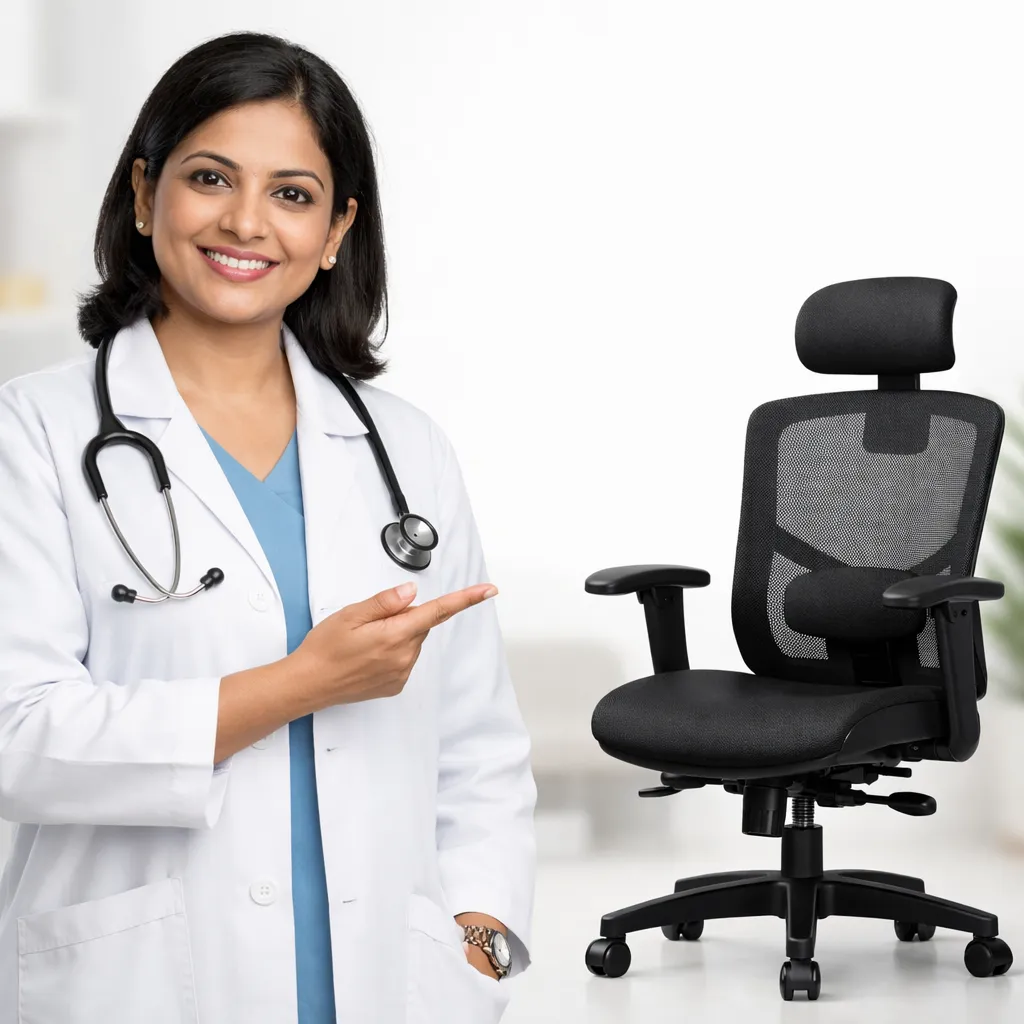
How to Choose an Ergonomic Chair for Back Pain
If you spend long hours sitting—at work, on a computer, or at home—your chair plays a major role in your back health. A poor chair can worsen back pain, neck stiffness, and shoulder discomfort. The right ergonomic chair supports your spine and reduces daily strain.
This guide explains how to select an ergonomic chair for back pain in easy, practical terms.
Why the Chair Matters for Back Pain
When we sit for long periods:
• the natural curve of the lower back flattens
• muscles get tired and overloaded
• pressure increases on spinal discs
An ergonomic chair helps maintain the spine’s natural alignment and reduces unnecessary stress on muscles and joints.
1. Lumbar Support Is the Most Important Feature
Your lower back has a natural inward curve.
A good chair should:
• support this curve
• fill the gap between your lower back and the chair
What to look for:
• built-in lumbar support or adjustable lumbar cushion
• support should sit at your waist level, not too high
Chairs without lumbar support often increase back pain over time.
2. Seat Height Should Be Adjustable
Correct seat height keeps your posture balanced.
Ideal position:
• feet flat on the floor
• knees at the same level or slightly lower than hips
• thighs parallel to the ground
If your feet don’t touch the floor, use a footrest.
3. Seat Depth and Width Matter
The seat should:
• support most of your thighs
• leave 2–3 fingers’ space between the seat edge and the back of your knees
If the seat is too deep, you’ll slouch.
If it’s too shallow, your thighs won’t be supported.
4. Backrest Should Support the Whole Spine
The backrest should:
• support the lower and mid-back
• allow slight recline (100–110 degrees is comfortable)
A slightly reclined position reduces pressure on the spine compared to sitting perfectly upright.
5. Armrests Should Reduce Shoulder Strain
Armrests help reduce load on neck and shoulders.
Correct armrest height:
• shoulders relaxed
• elbows close to the body
• forearms resting lightly
Armrests that are too high cause shoulder pain.
Too low causes slouching.
6. Headrest: Useful but Not Mandatory
A headrest is helpful if:
• you have neck pain
• you lean back often
• you work long hours
It should support the back of your head, not push it forward.
7. Firmness of the Chair
An ergonomic chair should be:
• firm enough to support posture
• not too soft or cushiony
Very soft chairs may feel comfortable initially but often worsen back pain with prolonged use.
8. Material and Breathability
Choose a chair with:
• breathable fabric or mesh
• minimal heat buildup
This improves comfort during long sitting hours.
Common Mistakes While Choosing a Chair
• choosing only based on looks
• buying a chair without lumbar support
• using a chair without adjusting it
• assuming expensive always means ergonomic
Even the best chair will not help if it is not adjusted correctly.
Remember: Even the Best Chair Is Not Enough
No chair can replace movement.
For back health:
• take a break every 30–45 minutes
• stand, stretch, or walk for a few minutes
• maintain core and back muscle strength
When to Consult a Pain Specialist
If back pain:
• persists despite changing your chair
• worsens with sitting
• spreads to the leg
• affects sleep or daily work
You may need a proper medical evaluation. Back pain often has multiple contributing factors beyond posture alone.
Key Takeaway
An ergonomic chair supports your spine—it does not cure back pain by itself.
Choose a chair that fits your body, adjust it correctly, and combine it with regular movement for the best results.
If you spend long hours sitting—at work, on a computer, or at home—your chair plays a major role in your back health. A poor chair can worsen back pain, neck stiffness, and shoulder discomfort. The right ergonomic chair supports your spine and reduces daily strain.
This guide explains how to select an ergonomic chair for back pain in easy, practical terms.
Why the Chair Matters for Back Pain
When we sit for long periods:
• the natural curve of the lower back flattens
• muscles get tired and overloaded
• pressure increases on spinal discs
An ergonomic chair helps maintain the spine’s natural alignment and reduces unnecessary stress on muscles and joints.
1. Lumbar Support Is the Most Important Feature
Your lower back has a natural inward curve.
A good chair should:
• support this curve
• fill the gap between your lower back and the chair
What to look for:
• built-in lumbar support or adjustable lumbar cushion
• support should sit at your waist level, not too high
Chairs without lumbar support often increase back pain over time.
2. Seat Height Should Be Adjustable
Correct seat height keeps your posture balanced.
Ideal position:
• feet flat on the floor
• knees at the same level or slightly lower than hips
• thighs parallel to the ground
If your feet don’t touch the floor, use a footrest.
3. Seat Depth and Width Matter
The seat should:
• support most of your thighs
• leave 2–3 fingers’ space between the seat edge and the back of your knees
If the seat is too deep, you’ll slouch.
If it’s too shallow, your thighs won’t be supported.
4. Backrest Should Support the Whole Spine
The backrest should:
• support the lower and mid-back
• allow slight recline (100–110 degrees is comfortable)
A slightly reclined position reduces pressure on the spine compared to sitting perfectly upright.
5. Armrests Should Reduce Shoulder Strain
Armrests help reduce load on neck and shoulders.
Correct armrest height:
• shoulders relaxed
• elbows close to the body
• forearms resting lightly
Armrests that are too high cause shoulder pain.
Too low causes slouching.
6. Headrest: Useful but Not Mandatory
A headrest is helpful if:
• you have neck pain
• you lean back often
• you work long hours
It should support the back of your head, not push it forward.
7. Firmness of the Chair
An ergonomic chair should be:
• firm enough to support posture
• not too soft or cushiony
Very soft chairs may feel comfortable initially but often worsen back pain with prolonged use.
8. Material and Breathability
Choose a chair with:
• breathable fabric or mesh
• minimal heat buildup
This improves comfort during long sitting hours.
Common Mistakes While Choosing a Chair
• choosing only based on looks
• buying a chair without lumbar support
• using a chair without adjusting it
• assuming expensive always means ergonomic
Even the best chair will not help if it is not adjusted correctly.
Remember: Even the Best Chair Is Not Enough
No chair can replace movement.
For back health:
• take a break every 30–45 minutes
• stand, stretch, or walk for a few minutes
• maintain core and back muscle strength
When to Consult a Pain Specialist
If back pain:
• persists despite changing your chair
• worsens with sitting
• spreads to the leg
• affects sleep or daily work
You may need a proper medical evaluation. Back pain often has multiple contributing factors beyond posture alone.
Key Takeaway
An ergonomic chair supports your spine—it does not cure back pain by itself.
Choose a chair that fits your body, adjust it correctly, and combine it with regular movement for the best results.
Keywords